
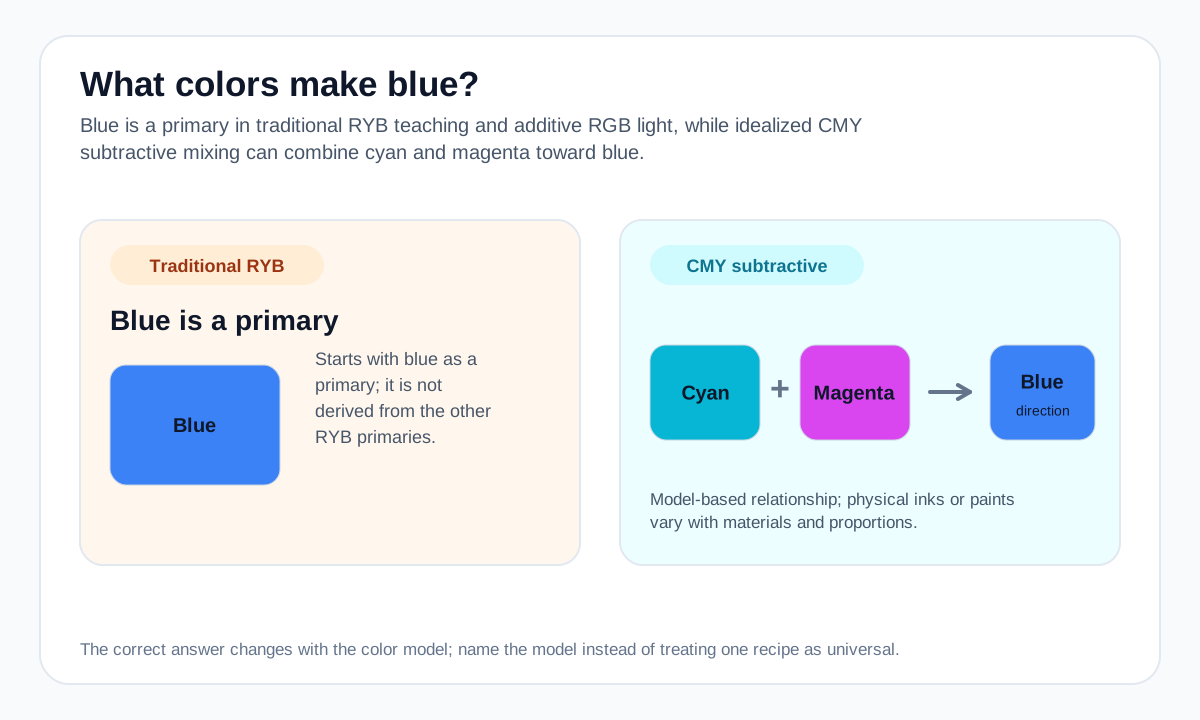
If your task is ordinary painting with an RYB palette, the practical answer is to start with a blue pigment and adjust it rather than trying to manufacture a clean blue from the other two traditional primaries.
If your task is printing or a CMY-style subtractive model, cyan and magenta are the relevant components. On screens, blue is controlled directly by the blue RGB channel.
Practical mixing routes
- In a traditional RYB paint set, begin with a blue pigment; blue is one of the starting primaries in that model.
- In a CMY subtractive model, cyan + magenta can move toward blue.
- On an RGB screen, blue is controlled directly by the blue channel rather than manufactured from the red and green channels.
How to adjust the result
Shift the result toward cyan or green-blue.
Shift toward magenta/red-blue.
Use a darker blue direction first instead of assuming black is the only option.
Common mixing mistakes
- Mixing red and yellow and expecting a clean blue in an RYB paint model.
- Treating CMY ink logic, RYB paint teaching, and RGB screen light as the same system.
- Expecting ideal mathematical cyan + magenta behavior from every real paint or ink.
Why the answer changes by color model
RGB treats blue as one of the three additive light primaries. CMY uses cyan, magenta, and yellow as subtractive primaries, so cyan and magenta can combine toward blue. Traditional classroom RYB instead starts with blue as a primary pigment.
Real cyan and magenta paints or inks are not ideal mathematical filters, so the physical result depends on the materials and proportions.
For a numerical screen-color blend, use the Digital Color Mixer. Its result is an RGB interpolation and should not be treated as a prediction of real paint or ink behavior.
Source and model notes
- Adobe — Primary colors guide — RGB additive light and CMY subtractive color-model relationships.
- Winsor & Newton — Colour bias in paint mixing — Why pigment bias changes the brightness and character of real paint mixtures.
Useful next steps
Compare a screen-color blend in the Color Mixer, or explore more mixing answers.