
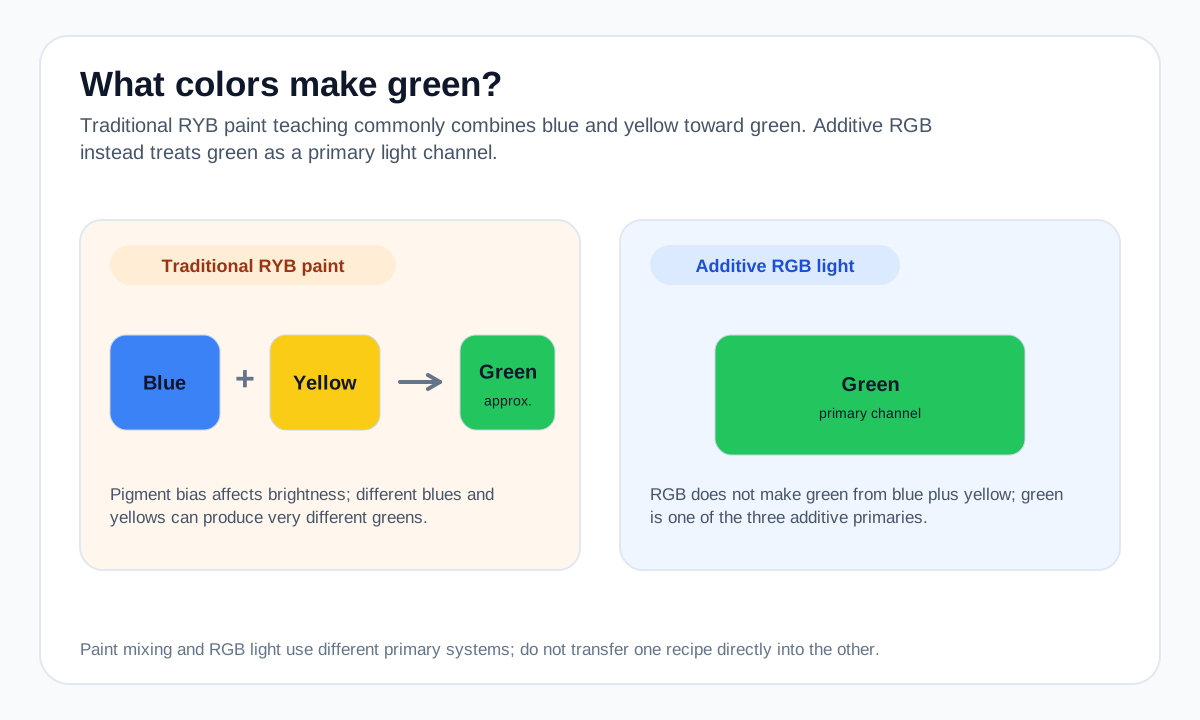
For a bright paint green, add yellow to blue gradually and watch the hue move through green. The exact midpoint is not universal because different yellows and blues absorb different parts of the spectrum.
For screen work, choose the green RGB channel or a specific HEX value directly. Do not use the average of a digital blue and yellow as a substitute for the traditional paint rule.
Practical mixing routes
- In traditional RYB paint mixing, blue + yellow commonly produces green.
- In a CMY subtractive model, cyan + yellow produces green.
- On RGB screens, green is a primary channel rather than a two-color recipe.
How to adjust the result
Bias the mixture toward yellow.
Bias toward blue or cyan.
Reduce chroma gradually with a complementary red direction rather than dumping it in at once.
Common mixing mistakes
- Assuming all blues and yellows mix equally cleanly; pigment bias can mute the result.
- Using the same recipe for paint, ink, and screen light.
- Adding the complement too aggressively and losing the green character.
Why the answer changes by color model
Green is a secondary color in traditional RYB but a primary channel in additive RGB light. That is why a screen-color calculation and a paint mixture should not be expected to follow the same recipe.
A blue that leans toward green and a yellow that leans toward green generally make a cleaner green than pigments biased toward their complementary directions.
For a numerical screen-color blend, use the Digital Color Mixer. Its result is an RGB interpolation and should not be treated as a prediction of real paint or ink behavior.
Source and model notes
- Adobe — Primary, secondary & tertiary colors — Traditional RYB secondary-color relationships and the distinction from RGB color mixing.
- Winsor & Newton — Colour bias in paint mixing — Why pigment bias changes the brightness and character of real paint mixtures.
Useful next steps
Compare a screen-color blend in the Color Mixer, or explore more mixing answers.