
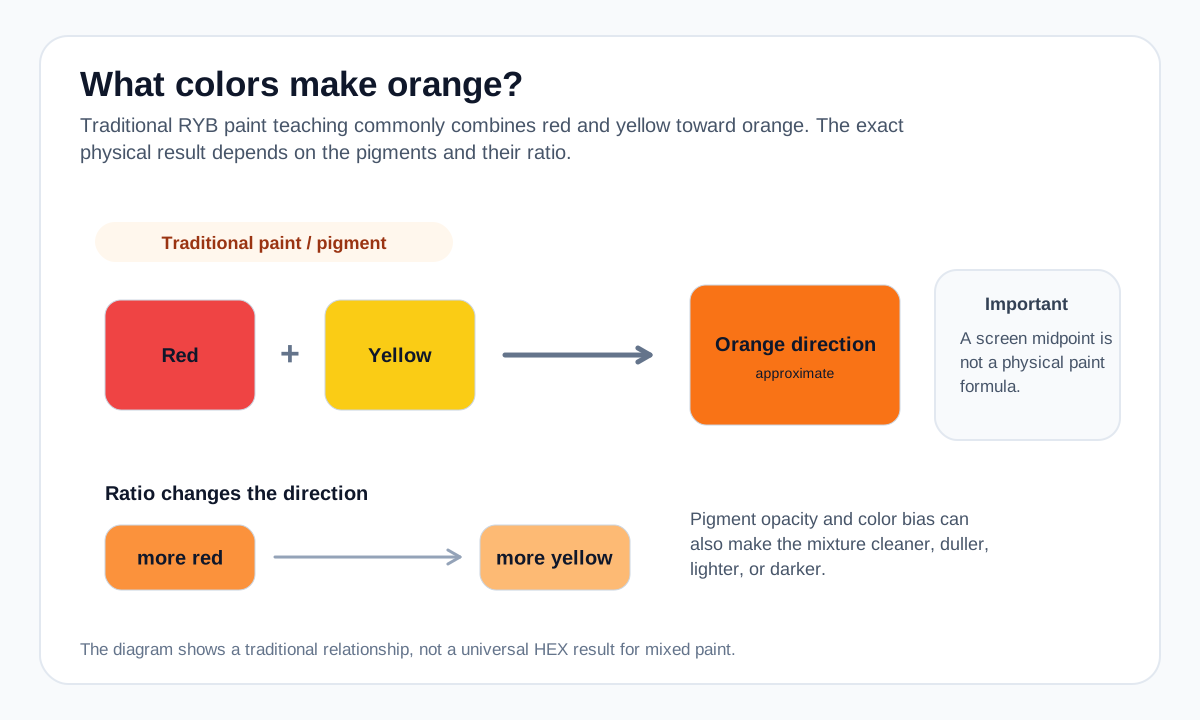
Begin with yellow and add red gradually if you want control over the result. It is easy to move a light orange darker with more red, while reversing an overly red mixture usually takes more yellow.
A clean orange is easier to obtain when the chosen red and yellow lean toward each other on the color wheel rather than introducing a strong complementary bias.
Practical mixing routes
- In traditional RYB paint mixing, combine red + yellow.
- For a repeatable orange, begin with an orange pigment and use red/yellow only to push the hue warmer or yellower.
How to adjust the result
Bias the mix toward red.
Bias toward yellow.
Neutralize gradually with a small complementary blue direction.
Common mixing mistakes
- Adding too much blue when trying to mute orange, which can quickly push the result toward brown or gray.
- Assuming equal parts red and yellow always produce the same orange across paints.
- Treating an RGB interpolation as a physical pigment recipe.
Why the answer changes by color model
Traditional paint mixing is subtractive. On a screen, red and yellow are already RGB values, and interpolating them numerically is not the same physical process as mixing pigments.
The exact orange depends on the specific red and yellow pigments, their opacity, their color bias, and the mixing ratio.
For a numerical screen-color blend, use the Digital Color Mixer. Its result is an RGB interpolation and should not be treated as a prediction of real paint or ink behavior.
Source and model notes
- Adobe — Primary, secondary & tertiary colors — Traditional RYB secondary-color relationships and the distinction from RGB color mixing.
- Winsor & Newton — Colour bias in paint mixing — Why pigment bias changes the brightness and character of real paint mixtures.
Useful next steps
Compare a screen-color blend in the Color Mixer, or explore more mixing answers.