
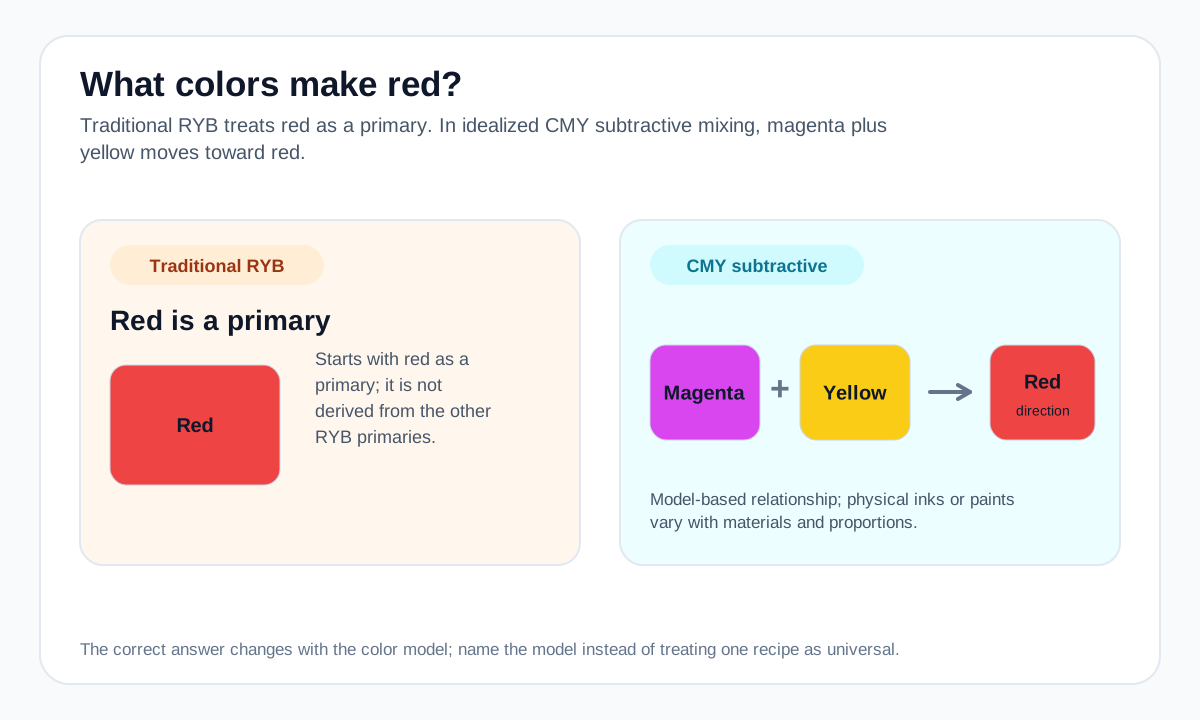
If you are mixing with a basic red-yellow-blue paint set, use red paint as the starting color. Trying to derive a clean red from yellow and blue will not work because those are not the ingredients for red in that model.
In a CMY workflow, magenta and yellow are the relevant subtractive components. For digital screens, red is an RGB primary channel rather than the result of interpolating two other screen colors.
Practical mixing routes
- In traditional RYB painting, begin with red because red is a primary in that model.
- In CMY subtractive mixing, magenta + yellow moves toward red.
- On RGB screens, red is itself a primary channel.
How to adjust the result
Shift toward yellow or orange.
Shift toward magenta or violet-red.
Mix toward white for pink-family results.
Common mixing mistakes
- Treating RYB and CMY as contradictory instead of recognizing that they start from different primaries.
- Expecting a screen red and a printed/painted red with the same visual appearance from matching simple numbers.
- Overcorrecting with complementary green when the goal is only a slight darkening.
Why the answer changes by color model
Traditional RYB starts with red, yellow, and blue. CMY printing and subtractive color theory instead use cyan, magenta, and yellow; combining magenta and yellow removes more green/blue light and moves toward red.
Physical paints and inks have imperfect spectra, so a real magenta + yellow mixture will vary by material and may not match a screen red exactly.
For a numerical screen-color blend, use the Digital Color Mixer. Its result is an RGB interpolation and should not be treated as a prediction of real paint or ink behavior.
Source and model notes
- Adobe — Primary colors guide — RGB additive light and CMY subtractive color-model relationships.
- Adobe — Primary, secondary & tertiary colors — Traditional RYB secondary-color relationships and the distinction from RGB color mixing.
Useful next steps
Compare a screen-color blend in the Color Mixer, or explore more mixing answers.