
Hue
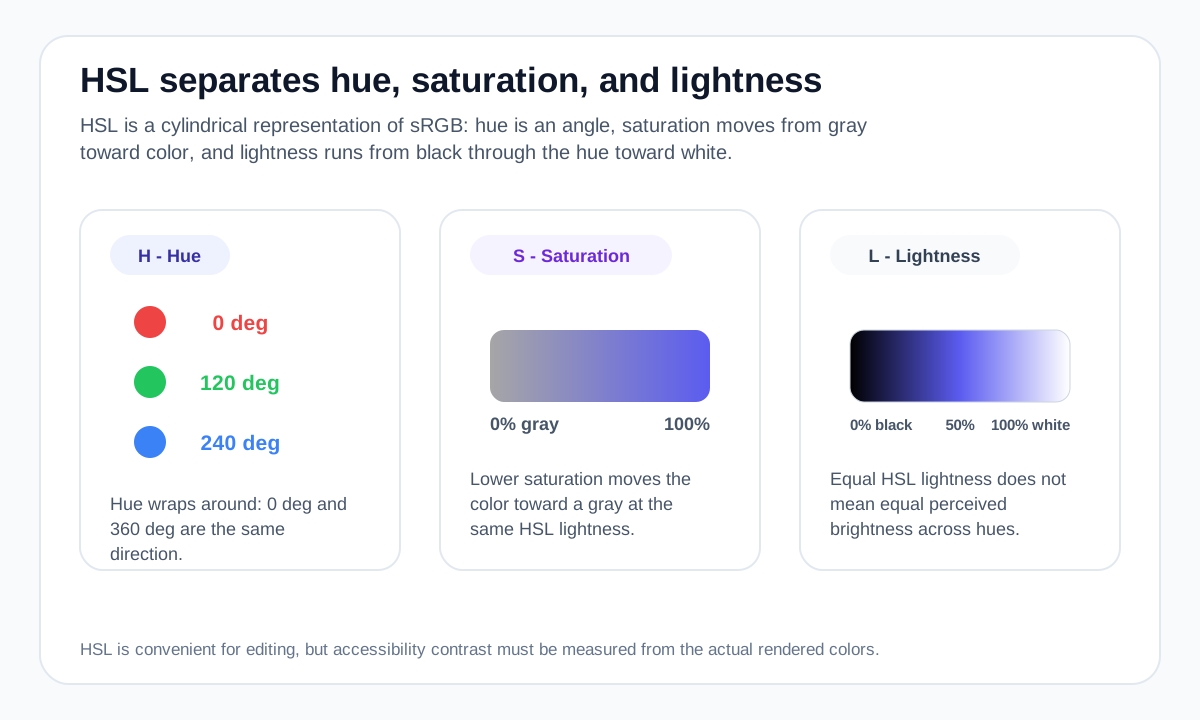
Hue is expressed as an angle. In CSS HSL, 0° is red and the wheel continues through yellow, green, cyan, blue and magenta before returning to red at 360°.
Because hue wraps around, 0° and 360° point to the same position. Complementary hue positions are roughly 180° apart in this cylindrical model.
Saturation
Saturation controls how far the color is from a gray of the same HSL lightness. At 0% saturation, the hue component has no visible effect and the result is grayscale.
At 100%, the color is maximally saturated for that HSL hue and lightness, but perceived vividness still varies by hue.
Lightness
HSL lightness runs from 0% black to 100% white. At 50% lightness, fully saturated hues reach their strongest HSL form.
Equal HSL lightness values do not imply equal perceived brightness. This is one reason HSL is convenient for editing but not a perceptually uniform color space.
When HSL is useful
HSL is often easier than raw RGB channels when you want to rotate a hue, reduce saturation or create systematic lightness variants in CSS.
For accessibility, however, do not infer contrast from HSL lightness alone. Measure relative luminance for the actual foreground and background colors.
Worked example: reading one HSL value
The Colormapped violet #5B5CF0 converts to a rounded HSL display of about 240° 83% 65%.
Position around the hue circle; this sits in the blue/violet direction
High HSL saturation
Above the midpoint between HSL black and white
Original sRGB color before HSL display rounding
HSL is intuitive for directional adjustments, but its lightness and saturation axes are not perceptually uniform. Use it as a control model, not a perceptual measurement.
Useful tools
Sources and method
- MDN — hsl() — HSL syntax and hue-angle behavior in CSS.
- MDN — CSS color values — CSS color models and syntax, including HEX, RGB and HSL.
- W3C WAI — Understanding Contrast (Minimum) — WCAG text contrast thresholds and guidance.