
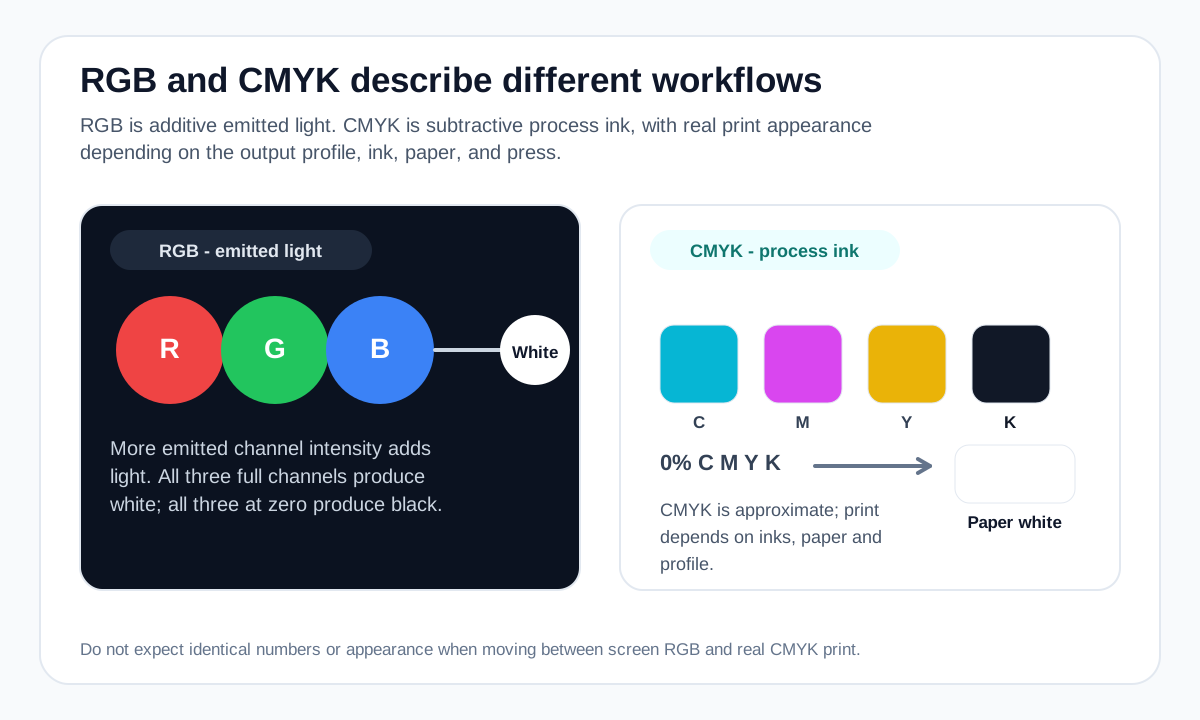
RGB is built for emitted light
RGB describes color with red, green and blue light components. In common 8-bit sRGB workflows, each channel runs from 0 to 255. When all three are 0 the result is black; when all three are at full intensity the result is white.
HEX color notation is another way to encode RGB channel values, so HEX and RGB can represent the same digital screen color.
CMYK is built around process inks
CMYK uses cyan, magenta, yellow and black ink percentages. White usually comes from the paper rather than from a white process ink, so 0% of all four components represents the unprinted substrate in a simplified model.
Real CMYK is device- and profile-dependent. Adobe notes that the exact range of CMYK colors varies with press and printing conditions.
Why colors can shift during conversion
An RGB screen can display colors that a given CMYK print condition cannot reproduce. Color-managed conversion maps those values into the destination print space, which can change saturation or appearance.
That is why Colormapped’s RGB/CMYK calculators are labeled mathematical approximations. They are useful for understanding channel relationships, not for replacing an ICC-profile workflow or printer proof.
Which model should you use?
For web, app and most screen-first work, use an RGB/sRGB workflow. For professional print, follow the printer or publisher’s requested CMYK profile and proofing workflow.
If the same design will appear in both media, keep a controlled source workflow and expect to review the print conversion rather than assuming identical numeric values will produce identical appearance.
Worked example: one screen color, one generic CMYK estimate
A screen RGB value can be converted mathematically to CMYK percentages, but the estimate is not a press profile.
sRGB channel values for #5B5CF0
Same screen color in HEX notation
Mathematical estimate used by the site converter
Actual separations depend on printer/press, ink, paper and ICC workflow
Use the generic conversion for orientation. Use a color-managed workflow when the printed result matters.
Useful tools
Sources and method
- Adobe Photoshop — Understanding color modes — RGB and CMYK color-mode behavior and print/screen workflow context.
- MDN — CSS color values — CSS color models and syntax, including HEX, RGB and HSL.