
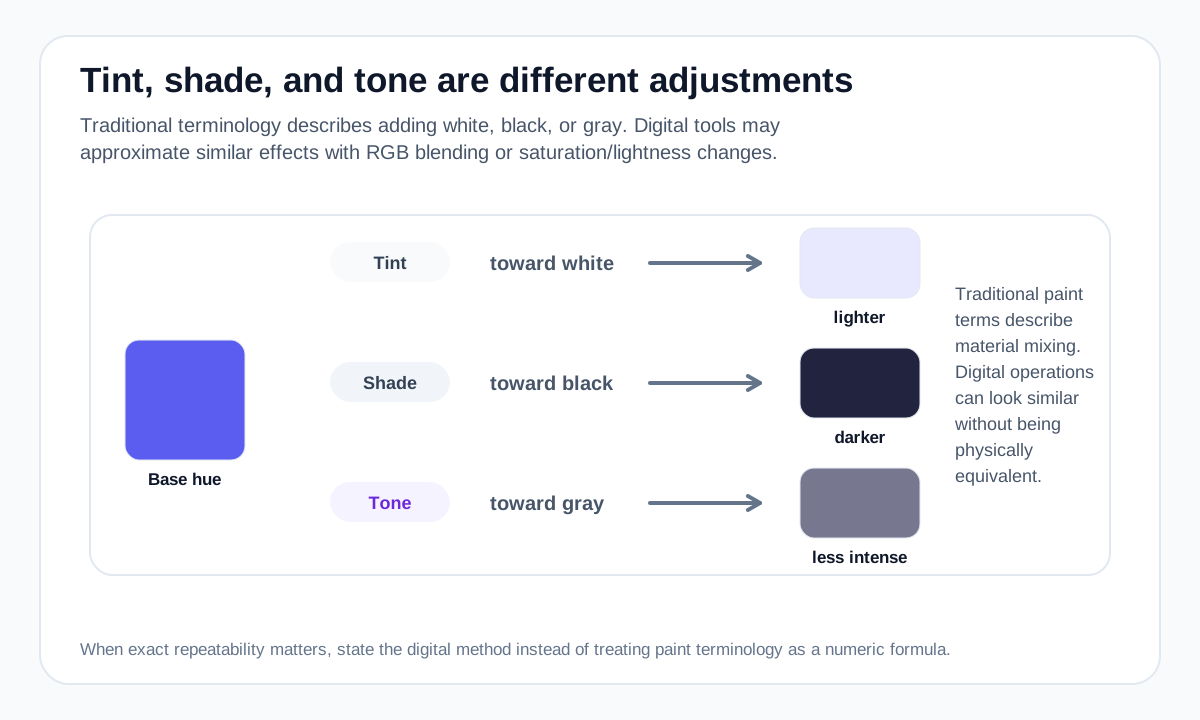
Tint: moving a color toward white
A tint makes a color lighter by adding white in a traditional paint model. In a digital RGB tool, a common approximation is to blend the color numerically toward #FFFFFF.
The exact visual spacing between generated tints may not feel uniform, so a useful palette often needs manual tuning after the initial calculation.
Shade: moving a color toward black
A shade darkens a hue by adding black in traditional terminology. A digital approximation can blend the RGB channels toward #000000.
Very dark steps can lose visible hue differences quickly, especially when the original color is already dark.
Tone: reducing intensity
Tone is commonly explained as adding gray, which reduces chroma without pushing all the way to white or black. In digital design, similar effects can be produced by adjusting saturation or mixing toward a neutral gray.
Different software can implement “tone” controls differently, so document the method when exact repeatability matters.
Use the terms carefully in digital workflows
HSL lightness changes, RGB blending and physical paint mixing are different operations. They can all create lighter or darker-looking variants, but their numeric and perceptual results are not interchangeable.
Colormapped labels generated ramps with the method used so a computed value is not presented as an official named shade or a physical mixing prediction.
Worked example: three ways to modify one violet
Starting from #5B5CF0, a tint, shade, and tone change the color in different ways.
Original violet
RGB mix toward white
RGB mix toward black
Lower-chroma illustrative variant
“Lighter,” “darker,” and “less saturated” are different operations. Name the operation before generating a palette so the result is predictable.
Useful tools
Sources and method
- MDN — CSS color values — CSS color models and syntax, including HEX, RGB and HSL.
- Adobe — Colour wheel combinations — Color-wheel relationships including analogous, triadic, tetradic, warm and cool groupings.